BMW, Mini and Rolls-Royce feature activation and coding
BMW, Mini and Rolls-Royce cars carry many functions in their software that are switched off at the factory or differ from one market to another. Through coding, these functions can be activated, deactivated or adjusted, and some modules can be updated or returned to their original software. What is possible depends on the model, the year of manufacture and the multimedia unit (CIC, NBT, NBT EVO, MGU).
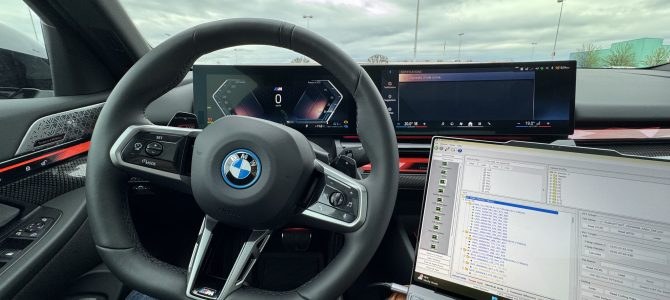
BMW coding and feature activation: the laptop connected to the car, next to the iDrive screen.
Software and modules
software update of the injection control unit (DME, DDE)
restoring the original software in the DME/DDE engine control unit (ECU)
navigation map updates
activating, deactivating or inverting the Start/Stop function
Multimedia and navigation
CarPlay and Screen Mirroring, for NBT EVO 5 and 6 only: on iPhone, CarPlay to use Waze and Google Maps; on Android, Screen Mirroring for Waze, Google Maps and YouTube (where the phone allows it)
installing an external CarPlay/AppConnect module for units that do not support these functions natively (CIC, NBT), after checking compatibility
Video in motion (films from DVD, USB stick and TV while driving), including NBT EVO ID4, ID5 and ID6
playing video files (MKV, AVI, MP4) straight from a USB stick, on the NBT navigation only
activating the ConnectedDrive internet on cars imported from abroad, where “Internet is not available in this country” appears
changing the start-up animation of the navigation (NBT) or of the multimedia unit, changing the ring tone
Lights, safety and comfort
reading speed limit signs (Speed Limit Info) on cars imported from abroad, where it no longer works in Romania
automatic high beam (High Beam Assist) on cars without the factory option but with a windscreen camera
a boot that closes with a single press on the key and from the button by the driver’s foot
adjusting the daytime running light (DRL) intensity
turning off the seat belt warning
Display and driving mode
turn signals and the phone/radio/DVD/TV menu shown in the head-up display
white light in the instrument cluster, day and night
sport displays and customised instrument clusters (M, M Performance, Alpina and others)
digital speed in the instrument cluster
sport mode for the automatic transmission
starting in a preset driving mode (no start in ECO)
low-fuel warning distance (between 10 and 90 km)
maximum value shown for consumption (between 20 and 30 l/100 km)